How to connect a calorimeter
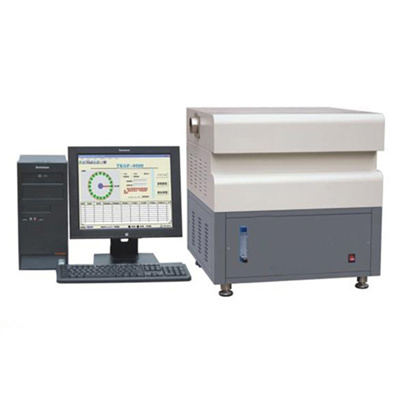
As the core equipment for accurately detecting heat, the online operation of the calorimeter is the key to ensuring its efficient operation and accurate data transmission. Mastering the correct online method can greatly improve the detection efficiency.
Preparation before going online
Before launching online operations, it is necessary to be fully prepared. First, confirm that the host of the calorimeter, the supporting computer (or the control end point) is in a power-off state to avoid the risk of short circuit caused by wiring when powered on. Secondly, check whether the communication cable and power cord supporting the equipment are in good condition, without damage, interface oxidation and other problems, and prepare instructions to confirm the function of the wiring port against the model to prevent wrong wiring.
Second, the correct connection of hardware circuits
Hardware connection is the foundation of online connection, and the operation needs to be meticulous and rigorous. The first step is to connect the power cord of the host of the calorimeter to a power socket that meets the rated power requirements, and do not power on for the time being. The second step is to select the appropriate communication cable according to the device model. One end is inserted into the communication interface of the host of the calorimeter, and the other end is connected to the corresponding interface of the computer. Common ones include USB interface, serial port, etc. When connecting, you need to align the direction of the interface and plug it in gently to ensure that the interface is firmly in contact to avoid data transmission interruption due to loosening.
III. Software configuration and online debugging
After the hardware connection is completed, enter the software configuration link. First install the special online software supporting the calorimeter on the computer. During the installation process, strictly follow the installation wizard. After completing the installation, restart the computer. After opening the software, enter the device connection setting interface, select the corresponding communication port, baud rate and other parameters. These parameters need to be consistent with the settings of the calorimeter host, which can be matched with reference to the manual. After the parameter setting is completed, click the connection button. If the software interface shows that the connection is successful, and the running data of the calorimeter can be read in real time, it means that the connection is successful; if the connection fails, check the line connection and parameter settings, and try again after troubleshooting.
IV. After-line testing and validation
After the connection is successful, it needs to be tested and verified. Start the calorimeter, run the basic detection program, and observe whether the software can display the detection data and curves synchronously, and the data is not delayed or deviated. If the data is stable and the transmission is smooth during the test process, it means that the online operation specification is valid and can be officially put into use; if there is any abnormal data, it is necessary to check the online link again until the equipment runs stably.
By mastering the above online steps, the online operation of the calorimeter can be successfully completed, ensuring the efficient and accurate operation of the equipment, and laying a solid foundation for subsequent inspection work.
 How to read calorimeter data
 What is the design principle of a calorimeter?
 What is the harm of lack of water in the calorimeter?
 What is the input interface of the calorimeter?