How to export data from a calorimeter
After using a calorimeter for related experiments, deriving data is a key step in subsequent analysis and research. The following is a detailed introduction to the specific method of deriving data from a calorimeter to help you complete the operation efficiently.
Preparation is essential
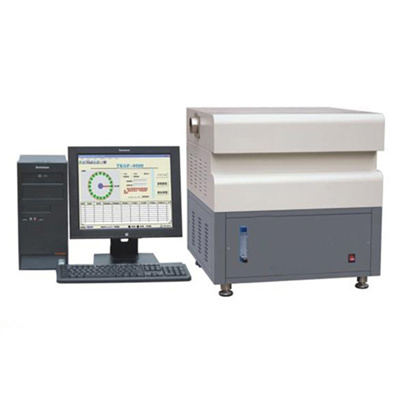
Before exporting data, make sure that the calorimeter is connected to the supporting computer or data storage device. Check whether the connection cable is stable, and confirm that the calorimeter and related software are turned on and in stable operation. This step is the basis for ensuring the smooth export of data. If there is a problem with the connection, it may lead to data transmission interruption or error.
Enter the data export interface
The operation interface and export method of different models of calorimeters may be different, but the overall idea is similar. Usually, in the main operation interface of the calorimeter, there will be a special "data management" or "export" function option. Enter the data export interface by operating the control panel of the instrument or clicking the corresponding button on the screen. If you are not familiar with the operation interface, you can consult the instruction manual of the instrument to quickly locate the relevant function area.
Select the data to export
After entering the data export interface, various experimental data stored by the instrument will be displayed. You can accurately select the data to be exported according to the screening conditions such as experimental time and project name. Some calorimeters support batch selection, which is convenient for you to export multiple sets of data at one time to improve work efficiency. When selecting data, be sure to check carefully to avoid misselecting irrelevant data.
Set export parameters
After selecting the data, you need to set export parameters, such as data format (common Excel, CSV, etc.), storage path, etc. According to the needs of subsequent data analytics, choose the appropriate data format to ensure that the exported data can be recognized by commonly used analysis software. At the same time, specify a clear storage path to facilitate subsequent search and use of data.
Execute an export operation
After completing the above settings, click the "Export" button, and the calorimeter will start exporting the data according to the set format and path. During the export process, please do not interrupt the operation at will and wait patiently for the export to complete. After the export is successful, you can view the exported data file in the specified storage path to verify whether the data is complete and accurate.
Mastering the data export method of the calorimeter can make the subsequent processing of the experimental data more efficient. By following the above steps, you can easily complete the export of the calorimeter data and provide strong support for the experimental research.
 How to read calorimeter data
 What is the design principle of a calorimeter?
 What is the harm of lack of water in the calorimeter?
 What is the input interface of the calorimeter?