How to clean calorimeter data
When using a calorimeter to carry out testing work, the accuracy of the data and the stable operation of the instrument are crucial, and regular data cleaning is the core link to ensure these two points. Mastering the scientific data cleaning method can not only avoid redundant data interfering with the detection results, but also prolong the service life of the instrument. The following is a detailed introduction to the practical steps of calorimeter data cleaning.
Step 1: Prepare for cleaning up
Before cleaning the data, make sure that the calorimeter is connected to a stable power supply and is in a normal shutdown state. At the same time, backup key data in advance, such as recent test reports, calibration records, etc., to avoid the loss of important information due to misoperation. In addition, it is necessary to prepare the data cable and special cleaning tools (if any) that match the instrument, and ensure that the operating environment is dry and free of static electricity to lay a solid foundation for the cleaning work.
Step 2: Enter the data management interface
Turn on the power supply of the instrument. After the device completes the self-test and enters the main operation interface, accurately find the "Data Management" or "System Settings" options in the menu bar. There may be differences in the operation entrance of different models of calorimeters. If you can't locate it quickly, you can consult the instruction manual of the instrument and follow the instructions to enter the data management module. This is the core entrance for subsequent cleaning operations.
Step 3: Accurately screen the data to be cleaned
After entering the data management interface, the system will present all historical test data. At this time, it is necessary to accurately screen the redundant data that needs to be cleaned according to key information such as data generation time and test items, such as invalid data that has exceeded the retention period, repeated test records, etc. During the screening process, be sure to carefully check to avoid deleting valid data that is still in use by mistake to ensure that the cleaning work is accurate.
Step 4: Perform a data cleaning operation
After confirming that the data to be cleaned is correct, click the "Clean" or "Delete" button in the interface, and the system will pop up a secondary confirmation prompt box. Check the cleaning content again, and click the "Confirm" option after confirming that it is correct, and wait for the system to automatically complete the cleaning process. During the cleaning process, do not disconnect the power supply or operate other buttons at will to prevent system failure of the instrument and affect normal operation.
Step 5: Verify after cleaning
After the data cleaning is completed, re-enter the data management interface to check whether the data list has cleared the target data, and check whether the various functions of the instrument are running normally. You can try an no-load test to confirm that the detection accuracy of the instrument is not affected, and ensure that the cleaning work is thorough and does not affect the normal use of the instrument.
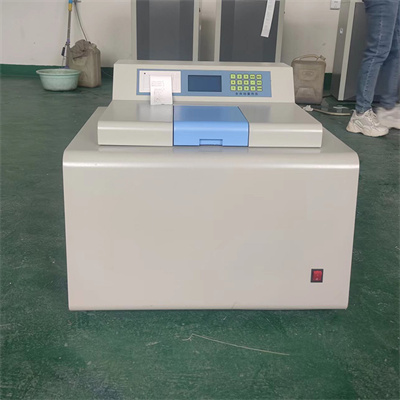
Through the above simple and clear steps, the data cleaning of the calorimeter can be completed efficiently. Regular data cleaning can not only keep the instrument in good working condition, but also ensure the accuracy of each test result, providing reliable support for experiments and testing work.
 How to read calorimeter data
 What is the design principle of a calorimeter?
 What is the harm of lack of water in the calorimeter?
 What is the input interface of the calorimeter?